Splitting ROIs at Otsu
In the Otsu thresholding technique, the optimal value that minimizes the weighted within class variances of two basic classes — Foreground and Background — is computed. Splitting an ROI into these components, using the dataset values that correspond to the labeled voxels in the region of interest, can provide masks for further segmentation. You should note that minimizing the within class variance is same as maximizing the between class variance.
- Analyze the histogram of the region of interest, recommended (see Region of Interest Histograms).
- Select the required region of interest in the Data Properties and Settings panel.
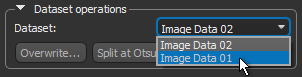
- Select the required dataset in the Dataset operations box in the ROI Tools panel.
- Click the Split at Otsu button.
The region of interest is split into two ROIs that represent the two basic classes — foreground and background — and are added automatically to the Data Properties and Settings panel.

 LEARNING LINKS

